AI Note Taker: Note AI1.3
Publisher Description
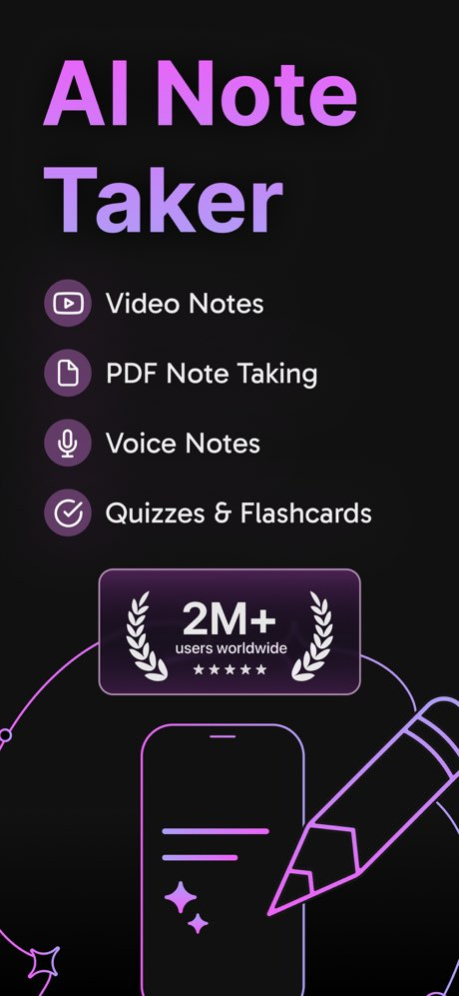
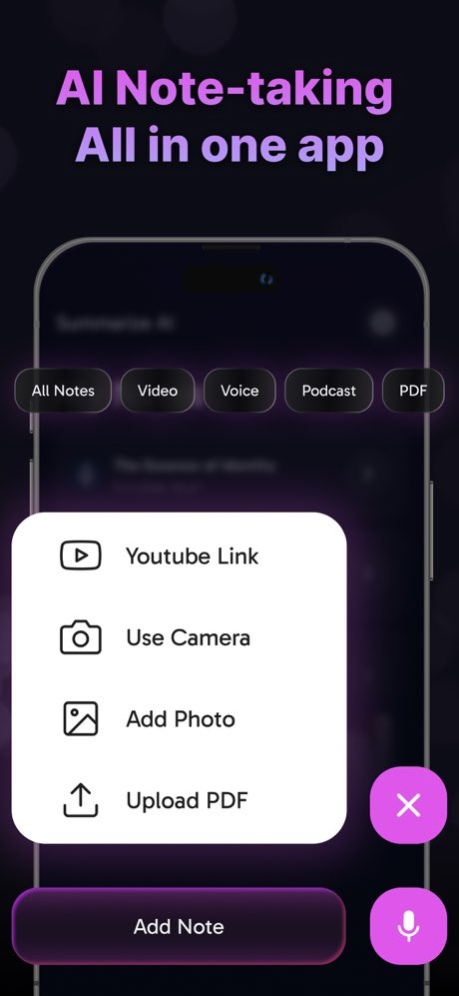


AI Note Taker is the best for AI note taking. Use AI Note Taker to transcribe meetings, lectures, and voice recordings. Convert speech to text and get fast AI Summary with the most advanced AI tool. AI Note Taker makes audio to text conversion fast and easy.
Need to take notes from a video? AI Note Taker is the best YouTube Link note taker. Just paste the link, and AI Note Taker will transcribe the video, convert speech to text, and generate an AI Summary fast. AI Note Taker ensures you never miss key details.
AI Note Taker is also a powerful Lecture Recorder. Record and transcribe your lectures, then use AI Summary and AI Summarize to extract the key points. AI Note Taker helps students and professionals with smarter AI note taking.
AI Note Taker’s AI Summarize feature helps you quickly extract key points from long notes, lectures, or meetings. Instead of reading through entire transcripts, use AI Summarize to get a exact summary of the most important details. Whether you're reviewing a transcribed lecture or a speech to text conversion, AI Summarize saves time and makes studying or note review easily.
With AI Note Taker’s YouTube Link note taking feature, you can easily transcribe videos by pasting the URL. AI Note Taker will automatically convert speech to text, providing an accurate AI Summary of the content. This is perfect for students, researchers, or anyone who wants to extract key points from educational videos, interviews, or podcasts. Try YouTube Link note taking to save time and get instant, structured notes.
Looking for a Voice Recorder with AI note taking? AI Note Taker records and converts audio to text with high accuracy. Use AI Note Taker as a Lecture Recorder to capture everything in real time. With AI transcribe and speech to text, reviewing notes is easy and fast.
AI Note Taker includes descript tools for organizing notes effective. Use AI Note Taker to transcribe, summarize, and edit text from any recording. AI Note Taker - YouTube Link note taker helps you save time by generating fast AI Summary from long videos.
Try AI Note Taker today! Convert speech to text, transcribe recordings, and generate AI Summary-Summarize fast. AI Note Taker makes audio to text and AI note taking simple and effective.
We love your feedback! Send questions or suggestions to support@xlabs.com
Terms of Use: https://www.xlabs.com.tr/terms
Privacy Policy: https://www.xlabs.com.tr/privacy
Version History - AI Note Taking & Transcribe with Note AI
- Flashcards and Quizzes
- Bug fixes and performance improvements 1.3 05/06/2025 - AI Note Taking & Transcribe with Note AI
- Bug fixes and performance improvements 1.2 04/07/2025 - AI Note Taking & Transcribe with Note AI
- Bug fixes and performance improvements 1.1 03/26/2025 1.0 03/26/2025
About AI Note Taker: Note AI
The company that develops AI Note Taker: Note AI is XLABS DIJITAL HIZMETLER ANONIM SIRKETI. The latest version released by its developer is 1.3.
To install AI Note Taker: Note AI on your iOS device, just click the green Continue To App button above to start the installation process. The app is listed on our website since 2026-10-07 and was downloaded 1 times. We have already checked if the download link is safe, however for your own protection we recommend that you scan the downloaded app with your antivirus. Your antivirus may detect the AI Note Taker: Note AI as malware if the download link is broken.
How to install AI Note Taker: Note AI on your iOS device:
- Click on the Continue To App button on our website. This will redirect you to the App Store.
- Once the AI Note Taker: Note AI is shown in the iTunes listing of your iOS device, you can start its download and installation. Tap on the GET button to the right of the app to start downloading it.
- If you are not logged-in the iOS appstore app, you'll be prompted for your your Apple ID and/or password.
- After AI Note Taker: Note AI is downloaded, you'll see an INSTALL button to the right. Tap on it to start the actual installation of the iOS app.
- Once installation is finished you can tap on the OPEN button to start it. Its icon will also be added to your device home screen.
Program Details
System requirements
Download information
Pricing
Version History
version 1.3
posted on 2026-10-07
Version History - AI Note Taking & Transcribe with Note AI
- Flashcards and Quizzes
- Bug fixes and performance improvements 1.3 05/06/2025 - AI Note Taking & Transcribe with Note AI
- Bug fixes and performance improvements 1.2 04/07/2025 - AI Note Taking & Transcribe with Note AI
- Bug fixes and performance improvements 1.1 03/26/2025 1.0 03/26/2025
version 1.3
posted on 2025-05-06
- AI Note Taking & Transcribe with Note AI
- Flashcards and Quizzes
- Bug fixes and performance improvements
